
Vita Solitaire for Seniors
Vita Studio.Card
4.910.38K Reviews
- Version
- 1.49.0
- Installs
- 5.00M
- Age Rating
- Everyone
Screenshots
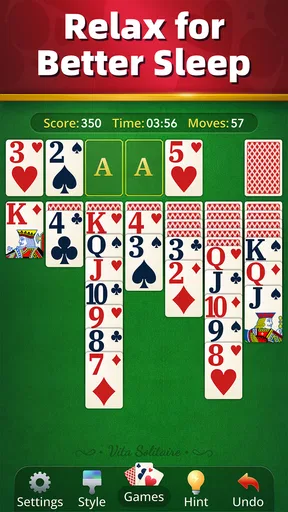
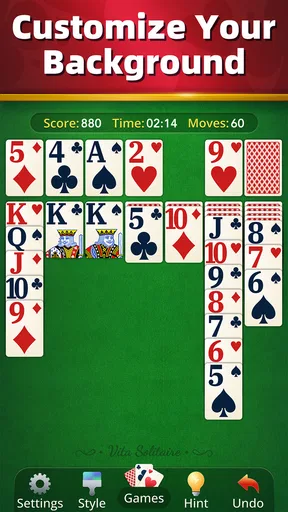
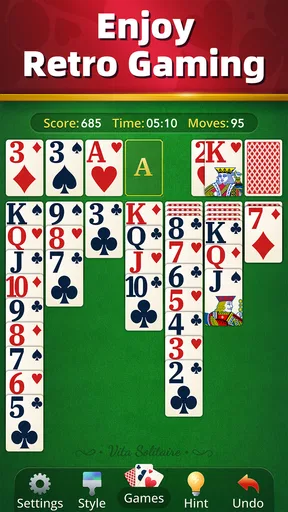
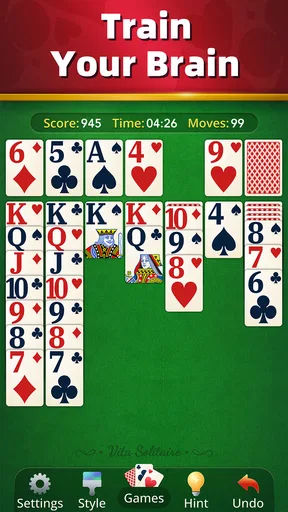
Our Review of Vita Solitaire for Seniors
 Analysis by Appyee
I spent time with Vita Solitaire for Seniors as a card game designed around the familiar rhythm of solitaire: deal, scan the layout, make a move, and keep looking for the next useful card. That simplicity is its main attraction. I do not need to learn a story, manage a complicated deck-building system, or compete with other players before I can start. For a quiet break, it feels approachable, especially when I want a game that rewards attention without demanding a large time commitment.
What makes this version worth examining more closely is its focus on comfortable play for older adults and anyone who prefers a less visually cramped card experience. The important question is not simply whether the solitaire rules are familiar. It is whether I can read the board, select cards confidently, recover from mistakes, and keep playing when my hands, eyesight, concentration, or surroundings are not ideal. My impression is positive overall, but it is not a universal replacement for every solitaire app.
How comfortably can different players use it?
I look at comfort as a mix of card readability, screen size, and how steadily someone can tap—not just the game’s slower pace. A short trial on the device the player will actually use can reveal whether the layout feels clear without making them work to see it. From there, it helps to consider which everyday situations suit this kind of focused solo play best.
Readable cards make the first few minutes less tiring
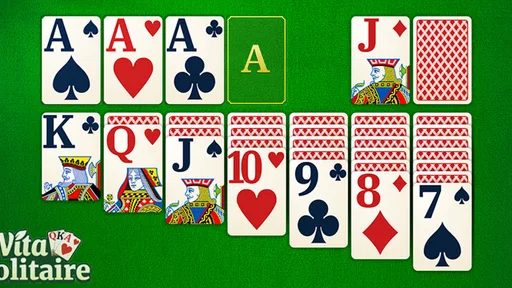
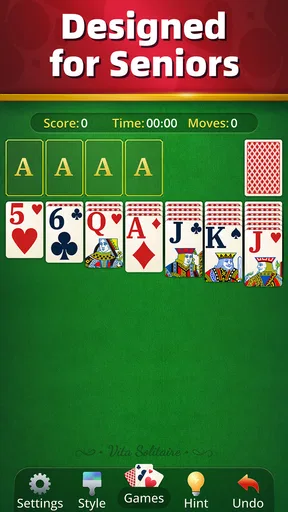
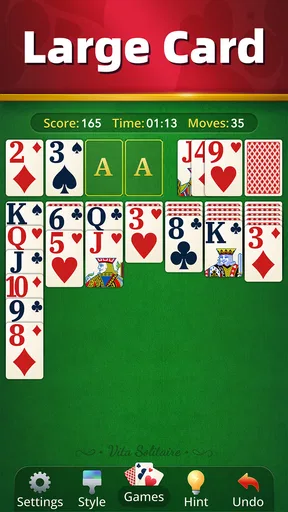
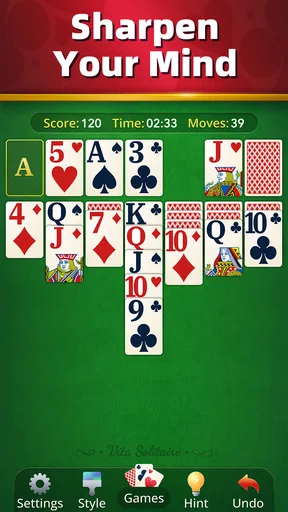
The strongest part of the experience is the emphasis on large-card solitaire play. Cards are the entire interface, so readability matters more here than in many other games. When the symbols and values are easy to distinguish, I spend my attention planning moves instead of repeatedly leaning toward the screen or guessing whether a small mark is a heart, diamond, club, or spade.
This also helps people who are new to mobile card games. A traditional solitaire app can feel surprisingly dense when several piles, buttons, counters, and decorative elements compete for space. In this game, the central task remains recognizable: identify a card, decide where it can go, and tap it or move it. That direct relationship between what I see and what I do is helpful for players who do not enjoy learning unfamiliar interfaces.
Still, “large” does not mean every player will find every element equally comfortable. A person with significant low vision may need more than a spacious card layout, particularly if contrast, glare, or color recognition is a problem. I would treat the design as a helpful starting point rather than a guarantee that the game works for every visual condition.
Navigation is approachable, but solitaire still requires visual scanning
Once a round begins, the rules provide a natural guide. The stock, waste pile, tableau, and foundation areas have established roles, so experienced players can settle in quickly. I also found that the familiar structure reduces the need for constant menu exploration. That is useful for someone who wants to open a game and play rather than study a tutorial first.
The catch is that solitaire is inherently a scanning activity. Even with readable cards, I have to compare several piles, remember which cards are blocked, and notice opportunities that appear after a move. Players with memory difficulties or reduced concentration may find that the board becomes harder to follow as the layout changes. A larger card face helps recognition, but it does not remove the mental work of tracking a sequence.
My practical advice is to begin with short sessions. If the board starts to feel confusing, pause before tapping repeatedly. Looking at the tableau from left to right and checking available moves in a fixed order makes the game easier to manage than searching randomly. That simple routine is one of the most useful ways I found to reduce missed opportunities.
Good for familiar play, less ideal for people seeking guided instruction
Players who already know classic solitaire will understand the objective almost immediately. Someone who has only played physical cards may still need a few rounds to learn why a card can move to one pile but not another. The game benefits from the fact that solitaire is widely known, but familiarity should not be confused with complete clarity for every first-time player.
I would recommend having a family member or friend explain the basic flow if the intended player has never used a solitaire layout. After that, repetition does much of the teaching. This is especially useful for older adults who are comfortable with cards but less comfortable experimenting with unfamiliar mobile controls.
Motor demands are modest, though precision still matters
Solitaire is less physically demanding than an action game. There is no need for rapid reactions, complex combinations of buttons, or constant swiping. That makes it a sensible choice for people who prefer slower interaction or whose hands become tired during demanding games. A player can think before acting, which removes much of the pressure found in timed card challenges.
However, tapping the intended card still requires accuracy. When piles overlap, the selectable area may feel less forgiving to someone with tremors, reduced finger control, or difficulty holding a phone steady. I found that using deliberate taps is safer than rushing through obvious moves. A stylus or a supported device stand could also make play more comfortable for some people, although those are personal workarounds rather than built-in solutions.
The game is therefore a better fit for players who can make occasional precise selections than for someone who needs every control to tolerate broad, imprecise touches. That distinction is easy to overlook when judging a card game only by its slow pace.
Sound and attention in shared spaces
A card game can be convenient in places where reading or watching video is not practical. I can play during a quiet waiting period, while taking a break at home, or when I want something gentle before bed. The turn-based pace means I can look away without immediately losing because an event happened in a fraction of a second.
That does not make it completely interruption-proof. If I stop in the middle of a layout, I may forget which move I was considering, especially after a conversation or phone call. I recommend finishing a short chain before putting the phone down, or at least mentally noting the next card to examine. Solitaire rewards continuity more than it first appears to.
For sensory-sensitive players, a calm card layout is generally less demanding than a bright action game, but individual tolerance varies. Anyone who finds repeated visual patterns tiring should test a short session rather than assuming that a simple game will automatically be comfortable.
Playing on different devices and in changing conditions
The game requires Android 7.1 or later, so it remains available to people using older compatible phones rather than only recent hardware. That is useful for families setting up a spare device for a parent or grandparent. On the other hand, an older phone may have a smaller or dimmer display, and those physical limitations can matter more than the operating-system requirement.
I would check the actual screen before deciding whether it is suitable for someone with reading difficulties. A game that looks spacious on a large phone may feel crowded on a compact display. Bright outdoor light can create another problem: card details that are clear indoors may become harder to distinguish in glare. In practical terms, a stable indoor seat with adjustable screen brightness is likely to offer a better experience than playing while walking or standing in direct sunlight.
The game is free to download, which makes that trial easier. It also includes optional in-app purchases ranging from $0.99 to $10.99 per item, so I would show a less experienced player where purchase prompts appear and make sure they understand that the basic download is not the same as unlimited paid content. This is particularly important when the phone belongs to a family member who may tap quickly to dismiss a message.
Where it fits among other solitaire choices
Compared with a physical deck, this game removes setup, shuffling, and the need for a table. That is a real advantage for someone who wants a round in a chair, on public transport, or during a short pause at work. It also avoids the problem of cards sliding or getting mixed up when a player has limited table space.
Compared with a very feature-heavy digital solitaire collection, its appeal is its straightforward identity. I do not choose it for social competition, elaborate progression, or a broad arcade package. I choose it when I want the traditional card activity presented in a more approachable mobile format. Players who enjoy statistics, tournaments, unusual variants, or deep customization may prefer a different app built around those priorities.
There is also a meaningful difference from playing with another person. A physical game offers conversation and shared attention, while this is primarily an individual activity. For an older adult looking for a relaxing solo pastime, that is fine. For someone using cards mainly as a way to connect with family, it should complement—not replace—real-world play.
Everyday situations where it works well
One realistic use is a quiet afternoon at home. I can sit with a drink, play one layout, and stop without having to remember a complicated campaign. The slow pace suits a player who wants mental stimulation but does not want pressure. If concentration is limited that day, a single round still feels like a complete activity.
Another use is helping someone become more comfortable with a smartphone. A relative who already understands solitaire can learn basic tapping and screen navigation through a familiar task. I would start beside them, explain the purpose of each area, and let them make the decisions rather than taking over. The game becomes a gentle practice environment, although it should not be presented as a medical or cognitive-training tool.
It can also fill short waiting periods, but I would not recommend it while crossing streets, traveling on a bicycle, or doing anything that requires full attention. The absence of a timer may reduce pressure, yet the player still needs to look at the screen and think about the layout.
Small habits that improve the experience
My first useful habit is to scan the board in the same direction every time. I check exposed cards, then the stock and waste area, and only afterward consider a move that opens a hidden card. This prevents the common mistake of moving the first available card and overlooking a better sequence elsewhere.
My second habit is to avoid tapping through moves simply because they are possible. In solitaire, opening a hidden card can be more valuable than moving a card to a foundation immediately. Taking a moment to ask which move reveals the most information makes the round feel less random and helps players who prefer a thoughtful pace.
My third tip is to treat the phone’s physical position as part of accessibility. A stand can reduce wrist strain, while holding the device closer to eye level may be more comfortable than looking down for a long time. If a player has difficulty distinguishing suits, a brighter, evenly lit room is more useful than increasing speed or trying to memorize the entire layout.
These habits do not add new functions to the game, but they make its existing structure easier to use. They are particularly valuable for older players who may be comfortable with card rules yet less confident with touchscreens.
Limitations that matter before installing
The biggest limitation is that a large-card presentation cannot solve every accessibility need. Players who rely on screen readers, keyboard input, strong color customization, or highly adjustable contrast should investigate whether the game fits their specific setup before committing to it. I would not assume that a senior-focused label means every assistive technology is supported.
The solitaire format itself can also become repetitive. If you need social interaction, constant novelty, or a strong sense of progression, a classic card layout may feel too quiet after several sessions. The game’s simplicity is excellent for relaxation, but it is also the reason it may not hold the attention of players who want more variety.
In-app purchases are another point to manage. The free entry is convenient, but I would be cautious about handing the phone to a child or a family member who is unfamiliar with mobile purchases. A player who wants a completely uninterrupted, purchase-free environment may prefer a paid alternative with a different business model.
Finally, the game is not the best choice for someone who dislikes visual concentration. Even a calm solitaire round asks the player to inspect cards, remember possible sequences, and make decisions. A simple interface reduces friction; it does not eliminate the need to see and think.
What the store details say about suitability
Vita Studio is the developer behind the game, which is categorized as a card game rather than a general collection of unrelated activities. It was released on May 6, 2023, and the current version is 1.47.1. Those details matter mainly because they help identify the exact app when someone is comparing several solitaire downloads.
The game has an average rating of 4.9 from around 338 thousand ratings, with about 10 thousand written reviews, and it has passed 5 million installs. I see that level of adoption as a useful sign that the format has reached a substantial audience, but I would still judge it against the individual player’s needs. Popularity cannot tell me whether a particular person can comfortably read the cards or operate the controls.
It is rated Everyone, so the content is suitable for a broad age range. That makes it easier to recommend within a family, although age suitability is not the same thing as physical or sensory accessibility. An older player may appreciate the gentle subject matter and still need a larger device, better lighting, or assistance during setup.
My inclusive verdict
I recommend this game to older adults and other players who want familiar solitaire with an emphasis on readable cards and an unhurried pace. It is especially suitable for someone who already likes card games, prefers solo activities, and can use a touchscreen with reasonably accurate taps. The free download also makes it practical to try before deciding whether it belongs on a regular device.
I would skip it, or test it very cautiously, if the intended player needs guaranteed screen-reader support, highly specialized visual adjustments, broad touch targets, or a more social experience. In those cases, a different solitaire app or a physical deck with a helper may be a better match.
My final view is that the game succeeds by keeping the familiar card task central rather than burying it under complexity. Its real strength is not that it makes solitaire effortless, but that it lowers several everyday barriers to starting a round. With sensible lighting, a steady device position, and a little patience during the first games, it can become a comfortable companion for quiet play. It is a focused, accessible-leaning option—not a complete answer for every ability or every context—and that is the fairest way to recommend it.
Privacy and Permissions
See what permissions an app requests and how it handles your data.
- Photos/Media/Files
- read the contents of your USB storage, modify or delete the contents of your USB storage
- Storage
- read the contents of your USB storage, modify or delete the contents of your USB storage
- Wi-Fi connection information
- view Wi-Fi connections
- Other
- view network connections, full network access, control vibration, prevent device from sleeping
Verdict
Strengths of Vita Solitaire for Seniors
- Large cards and clear visuals make gameplay easy to follow.
- Simple controls suit users with limited smartphone experience.
- Relaxing pace allows players to enjoy games without time pressure.
- Helpful hints can assist when a move is difficult to spot.
- Works well for short sessions or casual daily play.
Limitations of Vita Solitaire for Seniors
- Ads may interrupt play, especially in the free version.
- Some features may require an in-app purchase or subscription.
- Limited game variety can make sessions feel repetitive over time.
- Small interface details may still challenge users with poor eyesight.
- Performance may vary on older phones or tablets.
Other Releases by Vita Studio.
View All
Vita Mahjong
Board4.9

Vita Spider Solitaire
Card4.7
Similar Picks in This Category
View All
Solitaire - Classic Card Games
MobilityWare4.6

UNO!™
Mattel163 Limited4.3

Spider Solitaire: Card Games
MobilityWare4.6

Solitaire.com - Classic Cards
Tripledot Studios Limited4.7

Plants vs. Zombies™ Heroes
ELECTRONIC ARTS4.1

Hearthstone
Blizzard Entertainment, Inc.4.1
Frequently Asked Questions
What is Vita Solitaire for Seniors?
Vita Solitaire for Seniors is a mobile card game designed around the classic solitaire experience, with an emphasis on clear presentation and comfortable play. It generally offers familiar Klondike-style gameplay, large cards, straightforward controls, and an uncluttered interface intended to be easy to follow. It can suit both experienced solitaire players and people looking for a relaxed, casual game on Android or iOS.
Is Vita Solitaire for Seniors easy to use for older players?
The game is designed with accessibility in mind, making it particularly suitable for seniors and players who prefer a simpler interface. Cards and buttons are typically presented in a larger, more readable format, while the controls are based on familiar taps and drags. Even so, comfort can vary depending on your device screen size, eyesight, and personal preferences, so checking the interface after installation is recommended.
Does Vita Solitaire for Seniors require an internet connection?
Many solitaire rounds can usually be played without a constant internet connection, which makes the game convenient for travel or offline use. However, certain features may depend on connectivity, including advertisements, updates, cloud-related services, leaderboards, or optional purchases. Availability can also change between versions and platforms, so players should not assume that every feature will work offline.
Is Vita Solitaire for Seniors free to download and play?
Vita Solitaire for Seniors is generally available as a free download, allowing users to try the core solitaire experience without paying upfront. Like many free mobile games, it may include advertising, optional in-app purchases, or paid features designed to enhance the experience or remove interruptions. Before downloading, review the store listing and purchase settings, especially if the device is shared with children or family members.
What should I know about privacy and permissions before installing it?
Before installing Vita Solitaire for Seniors, review its Google Play or App Store listing for the latest information about data collection, advertising, analytics, and requested permissions. A card game should not normally need access to unrelated personal information, although advertising and platform services may request certain data or device permissions. Privacy practices can change with updates, so checking the developer’s policy is worthwhile.
Play our best games!


